Manual Test Step
The Manual TestStep is used when we want manual user interaction inside the test. Some examples:
1. Start up devices like cellphones (manual step)
2. press some button on device or perform action on website (manual step)
3. make some HTTP/SOAP/REST call (soapui step)
4. Check database / logs for manual action verification (soapUI test step)
In soapUI we have a Manual test step that provide ability for user interaction in testing;
Manual test step details/behavior:
User can specify a description, expected results, actual result.
When the test case execution reaches a Manual test step, the user is prompted with a pop up.
The user can add details to actual results, and specify pass/fail/N/A radio button for the test step status.
User click on continue, soapui goes to next step.
These tests cases which have manual test steps, are skipped when launching via testrunner since no way to interact with pop ups.
Creating Manual Test Step
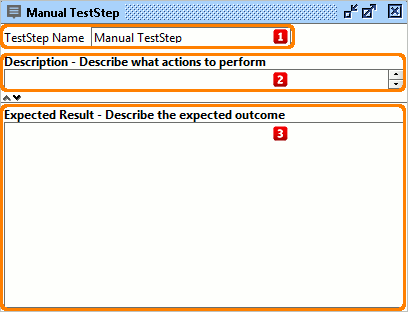
 |
Test Step Name |
|
 |
Description |
Description of manual test step |
 |
Expected Result |
Description of expected result |
Running Manual Test Step
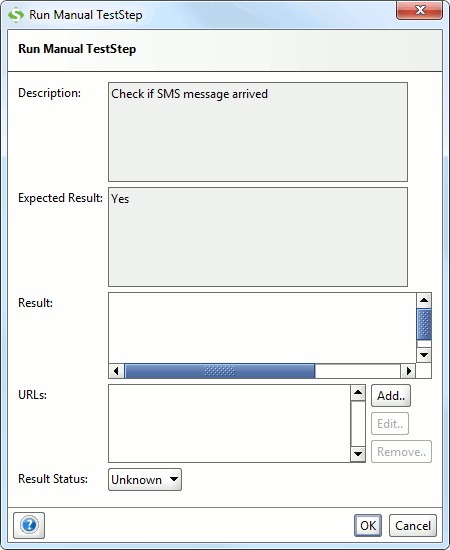
| Description |
Description of test step |
| Expected Result |
Description of expected result |
| Result |
Result for this test step |
| URL list |
List of URLs where one can specify images, etc that describe the failure |
| Result Status |
Set the status of the result |