Lets look at how the Assertion functionality of the Sampler TestSteps are used to validate the incoming response or request received by the TestStep. Before we dive into the available assertions, lets do a quick overview.
Assertions are used to validate the message received by a TestStep during execution, usually by comparing parts of the message (or the entire message) to some expected value. Any number of assertions can be added to a sampler TestStep, each validating some different aspect or content of the response. After a sampler TestStep executes, all its assertions are applied to the received response and if any of them fail the TestStep is marked as failed in the TestCase view and a corresponding FAILED entry is shown in the Test Execution Log.
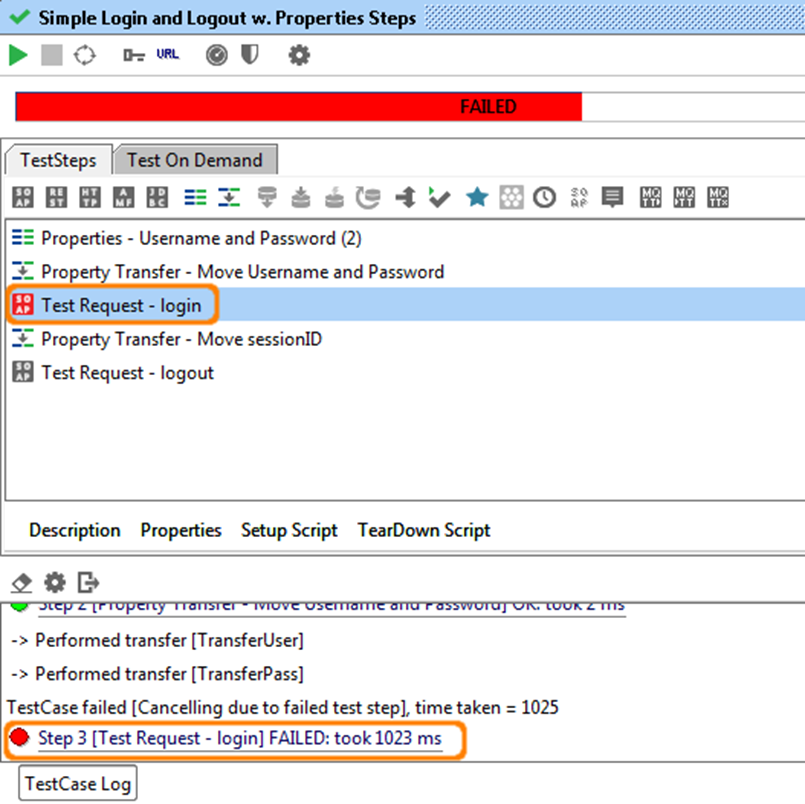
Here we can see that the "Test Request - login" TestStep has failed, which in the TestCase Run Log at the bottom also displays details on the actual assertion failure; "took 1023 ms" means that the "SLA" assertion failed, i.e. the response was too slow.
1. Managing Assertions
Assertions are always displayed in a tab at the bottom of the containing TestSteps' editor window.
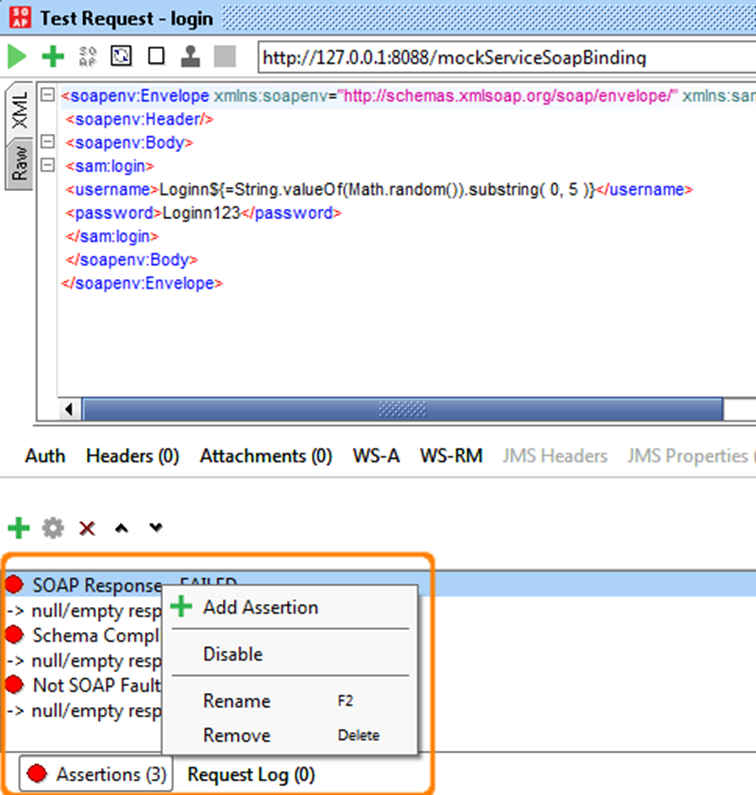
In the screenshot above you see the 3 assertions added to a SOAP Request TestStep and they all failed.
The toolbar on top of the assertions allows you to add, configure, delete, move and clone assertions as required and the right-click popup menu for an assertion contains similar actions (as can be seen in the screenshot). Double-clicking an assertion brings up its configuration dialog if available.
Adding an assertion is straight forward; press the left-most button in the toolbar, which opens a dialog which prompts you to choose which assertion to add.
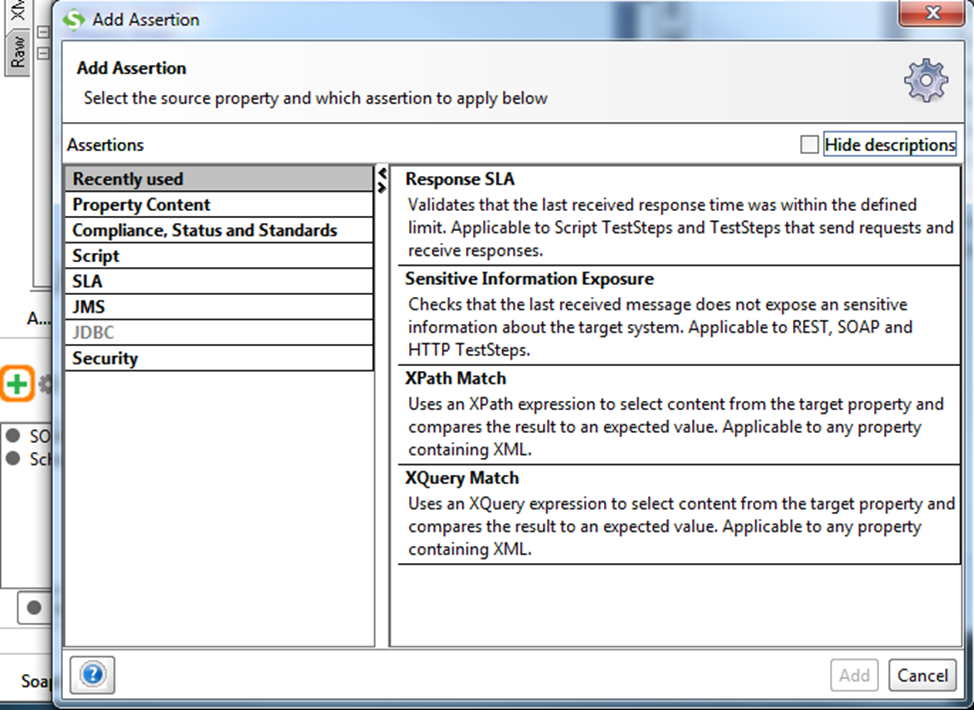
The dialog will contain map of assertions available for the current type of sampler (see below), pressing OK will add the assertion and open its configuration dialog.
2. Assertion categories
Assertions are divided in several categories for easier managing. Only categories that contain applicable Assertions for specific type of sampler are enabled. In case of AssertionTestStep only categories that contain applicable Assertions for selected Source/Property combination are enabled ( please check http://www.soapui.org/Functional-Testing/assertion-test-step.html ). Same goes for enabling/disabling particular Assertion inside the category.
In addition under the Categories there is "Recently used" category which lists 5 Assertions most recently used, some of which may also be disabled for particular Source/Property selected.
All available Categories with containing Assertions are listed below.
2.1. Property Content Category
- Contains - Searches for the existence of a string token in the property value, supports regular expressions. Applicable for any property.
- Message Content Assertion - Allows for complex content validation of XML messages. Applicable to any property containing XML.
- Not Contains - Searches for the non-existence of a string token in the property value, supports regular expressions. Applicable to any property.
- XPath Match - uses an XPath expression to select content from the target property and compares the result to an expected value. Applicable to any property containing XML.
- XQuery Math - uses an XQuery expression to select content from the target property and compares the result to an expected value. Applicable to any property containing XML.
2.1.1. Compliance, Status and Standards
- HTTP Download all resource - downloads all resources referred to be an HTML document (images, scripts, etc.) and validates that they are all available. Applicable to any property containing HTML.
- Invalid HTTP Status Codes - checks that the target TestStep received an HTTP result with a status code not in the list of defined codes. Applicable to any TestStep that receives HTTP messages
- Not SOAP Fault - validates that the last received message is not a SOAP Fault. Applicable to SOAP TestSteps.
- Schema Compliance - validates that the last received message is compliant with the associated WSDL or WADL schema definition. Applicable to SOAP and REST TestSteps. The schema definition URL supports Property Expansions (e.g. ${#System#my.wsdl.endpoint}/services/PortType?wsdl ).
- SOAP Fault - validates that the last received message is a SOAP Fault. Applicable to SOAP TestSteps SOAP Request - validates that the last received request is a valid SOAP Request. Applicable to MockResponse TestSteps only.
- SOAP Response - validates that the last received response is a valid SOAP Response. Applicable to SOAP TestRequest Steps only.
- Valid HTTP Status Codes - checks that the target TestStep received an HTTP result with a status code in the list of defined codes. Applicable to any TestStep that receives HTTP messages.
- WS-Addressing Request - validates that the last received request contains valid WS-Addressing Headers. Applicable to MockResponse TestSteps only.
- WS-Addressing Response - validates that the last received response contains valid WS-Addressing Headers. Applicable to SOAP TestRequest Steps only.
- WS-Security Status - validates that the last received message contained valid WS-Security headers. Applicable to SOAP TestSteps.
2.1.1.1. Script
- Script Assertion - runs a custom script to perform arbitrary validations. Applicable to TestSteps only (i.e. not properties).
2.1.1.2. SLA
- Response SLA - validates that the last received response time was within the defined limit. Applicable to Script TestSteps and TestSteps that send requests and receive responses.
2.1.1.3. JMS
- JMS Status - validates that the JMS request of the target TestStep executed successfully. Applicable to Request TestSteps with a JMS endpoint.
- JMS Timeout - validates that the JMS statement of the target TestStep did not take longer than the specified duration. Applicable to Request TestSteps with a JMS endpoint.
2.1.1.4. JDBC
- JDBC Status - validates that the JDBC statement of the target TestStep executed successfully. Applicable to JDBC TestSteps only.
- JDBC Timeout - validates that the JDBC statement of the target TestStep did not take longer than the specified duration. Applicable to JDBC TestSteps only.
2.1.1.5. Security
- Sensitive Information Exposure - Checks that the last received message does not expose an sensitive information about the target system. Applicable to REST, SOAP and HTTP TestSteps.
3. Common Assertions
A large number of assertions are available for validating received messages, some being specific for a certain type of TestStep and some being common for all TestSteps. The assertions available for all TestSteps are:
- Contains - checks for the existence of a specified string (see below).
- Not Contains - checks for the non-existence of a specified string (see below).
- Reponse SLA - check the response time against a specified value (see below).
- XPath Match - compares the result of an XPath expression to an expected value (read more).
- XQuery match - compares the result on an XQuery expression to an expected value (read more).
- Script - runs an arbitrary script that can be used to validate the received message as desired (read more).
The first three of these are covered in more detail below.
3.1. The Contains Assertion
This assertion checks for the existence of some text in the received response or request message, its configuration dialog is as follows:
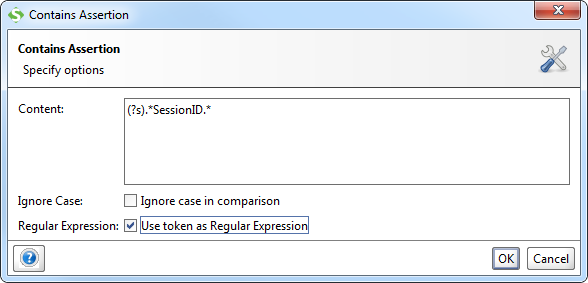
The example shown in the screenshot specifies a reqular expression checking for the string "SessionID" in the entire content of the message to be validated, note the "(?s)" construct to specify whitespace handline (supported RegEx format). Property-Expansion is supported in the Content field.
3.2. The Not Contains Assertion
The counterpart for the Contains assertion; this one checks that a specified spring does not exist in the asserted message. The configuration dialog is the same as above:
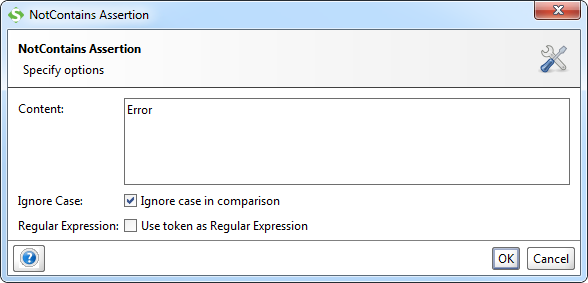
Here the example in the screenshot just checks for the non-existence of the token "Error" in the entire response.
3.3. The Response SLA Assertion
This assertion validates that the response time is within the specified value, otherwise the assertion will fail. The configuration dialog is a simple one:
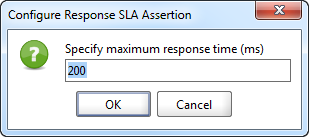
Property-Expansion is supported in the specified value, allowing you to control the assertion limit via some external mechanism if needed.
4. TestStep specific Assertions
A number of assertions are available that are specific to one or several types of TestSteps. These are covered in more detail together with the corresponding TestStep but also listed below to give you an overview:
For SOAP Request TestSteps the following assertions are available (see Validating SOAP Messages for more details):
- Schema Compliance - validates the response message against the definition in the WSDL and contained XML Schema.
- SOAP Response - checks that the response is a valid SOAP Response.
- SOAP Fault - checks that the response is a SOAP Fault.
- Not SOAP Fault - checks that the response is not a SOAP Fault.
- WS-Security Status - validates the WS-Security headers and tokens in the response.
- WS-Addressing Response - validates the WS-Addressing Headers in the response.
- JMS Timeout - when using a JMS endpoint that specifies a response channel this assertion validates that the response is received within the specified time.
- JMS Status - when using a JMS endpoint, this assertion validates that no JMS-related errors occured.
For REST Request TestSteps the following assertions are also available:
- Schema Compliance - validates the response message against the schema that has either been specified in an underlying WADL file or that has been inferred from the response.
For JDBC Request TestSteps the following assertions are also available:
- JDBC Timeout - validates that the result is received from the target database within the specified time.
- JDBC Status - validates that no JDBC-related errors occured.
For MockResponse TestSteps the following assertions are available:
- Schema Compliance - validates the request message against the definition in the WSDL and contained XML Schema.
- SOAP Request - checks that the request is a valid SOAP Request.
- WS-Security Status - validates the WS-Security headers and tokens in the request.
- WS-Addressing Request - validates the WS-Addressing Headers in the request.
No one knows APIs better than SmartBear. Find out what our Pro version of SoapUI can do to improve your testing.