This page contains information on standalone SoapUI Pro that has been replaced with ReadyAPI.
To try the new functionality, feel free to download a ReadyAPI trial.
Getting started with the JDBC TestStep
SoapUI 3.5 introduces a new TestStep for retrieving data from a database using JDBC. The result is formatted as XML and can be asserted or processed in the standard way (XPath, XQuery, etc described HERE ), but also two additional assertions are available:
- JDBC Status assertion
- JDBC Timeout assertion will check that the SQL was executed within the configured timeout.
TestStep Properties Configuration
For using the JDBC TestStep you will need to add a JDBC driver to soapui_home/bin/ext folder and restart the application.
Also, if you provided a JDBC driver for a database that is not available in the configuration drop down list, you can add that connection detail in:
File > Preferences > JDBC Drivers Properties
The Open source version of JDBC TestStep has fields for setting the connection properties and the SQL query manually and an option for indicating if query is a stored procedure call. The query result can be viewed only as plain XML.
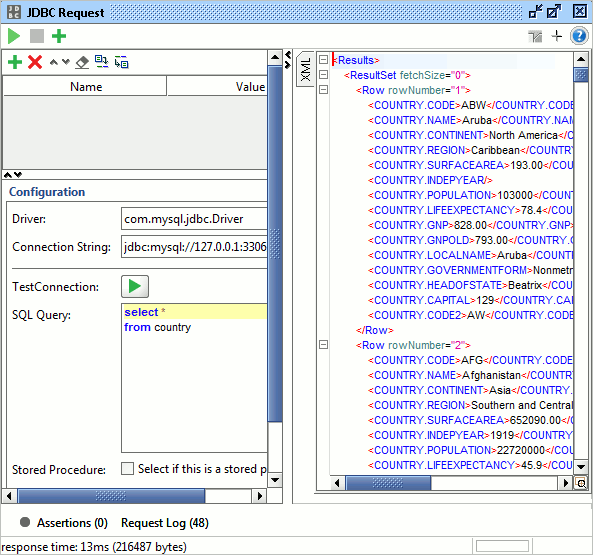
In SQL query, parameters can be reference using property expansion.
The Pro version has a very useful additional feature of using a connection configured at the project level and a graphical wizard for building the SQL query.