Saving Responses in SoapUI
To write responses to a file from in SoapUI, use the following “Request Properties”:
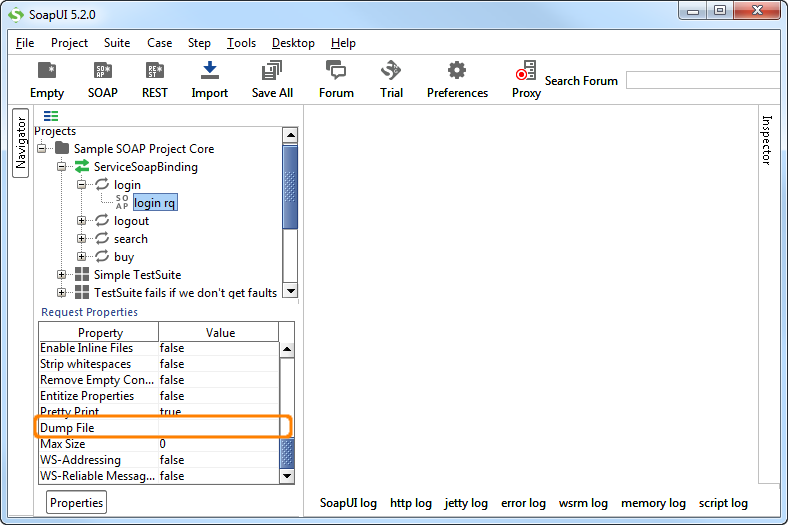
Select the request you want to store responses from.
In the “Request Properties” panel window scroll down to the property “Dump File”, and enter a path for “Dump File”.
In the name, you could leverage Property Expansion to make the name or path dynamic. (See /docs/scripting-and-properties/property-expansion/).
Use “Max Size” property to set the size threshold when the contents will be written to the Dump File.